1. 라이브러리 설치

2. Manifest.xml 권한 부여

3. 코드 작성
1.mainactivity.class
package com.example.employee;

import android.content.Intent;
import android.os.Bundle;
import android.util.Log;
import android.view.View;
import android.widget.Button;
import android.widget.ProgressBar;
import android.widget.Toast;

import androidx.activity.result.ActivityResult;
import androidx.activity.result.ActivityResultCallback;
import androidx.activity.result.ActivityResultLauncher;
import androidx.activity.result.contract.ActivityResultContracts;
import androidx.appcompat.app.AppCompatActivity;
import androidx.recyclerview.widget.LinearLayoutManager;
import androidx.recyclerview.widget.RecyclerView;

import com.android.volley.Request;
import com.android.volley.RequestQueue;
import com.android.volley.Response;
import com.android.volley.VolleyError;
import com.android.volley.toolbox.JsonObjectRequest;
import com.android.volley.toolbox.Volley;
import com.example.employee.adapter.EmployerAdapter;
import com.example.employee.model.AddActivity;
import com.example.employee.model.Employer;

import org.json.JSONArray;
import org.json.JSONException;
import org.json.JSONObject;

import java.util.ArrayList;

public class MainActivity extends AppCompatActivity {
    Button btnAdd;
    ProgressBar progressBar;
    // 리사이클러뷰는 관련된 멤버변수 2개 더 작성해야 한다,
    RecyclerView recyclerView;
    ArrayList<Employer> employerArrayList = new ArrayList<>();
    EmployerAdapter adapter;
    public ActivityResultLauncher<Intent> launcher =
            registerForActivityResult(new ActivityResultContracts.StartActivityForResult(),
                    new ActivityResultCallback<ActivityResult>() {
                        @Override
                        public void onActivityResult(ActivityResult o) {
                            if ( o.getResultCode() == 1000){
                                Employer employer= (Employer) o.getData().getSerializableExtra("employer");
                                employerArrayList.add(0, employer);
                                // 메모리의 데이터가 바뀌면
                                // 리사이클러뷰의 화면에도 데이터를 표시하도록
                                // 어댑터의 함수를 이용해야 한다,
                                adapter.notifyDataSetChanged();

                            }else if(o.getResultCode()==1001){
                                Employer employer = (Employer) o.getData().getSerializableExtra("employer");
                                int index = o.getData().getIntExtra("index",0);
                                employerArrayList.set(index,employer);
                                adapter.notifyDataSetChanged();
                            }
                        }
                    });
    @Override
    protected void onCreate(Bundle savedInstanceState) {
        super.onCreate(savedInstanceState);
        setContentView(R.layout.activity_main);

        btnAdd=findViewById(R.id.btnAdd);
        progressBar=findViewById(R.id.progressBar);
        recyclerView=findViewById(R.id.recyclerView);
        recyclerView.setHasFixedSize(true);
        recyclerView.setLayoutManager(new LinearLayoutManager(MainActivity.this));

        btnAdd.setOnClickListener(new View.OnClickListener() {
            @Override
            public void onClick(View v) {
                // addAcrivity 를 띄운다.
                Intent intent = new Intent(MainActivity.this, AddActivity.class);
                // intent.putExtra("email",email);
                launcher.launch(intent);
            }
        });
        // 네트워크로부터 데이터를 받아온다.
        // volley 라이브러리를 이용한 네트워크 통신

        //1. request queue 를 만든다.
        RequestQueue queue = Volley.newRequestQueue(MainActivity.this);
        //2. request(요청) 를 만든다.
        // 데이터 타입(JsonObjectRequest)은 응답의 jon 형식을 보고 결정한다.
        // 파라미터
        //1. GET,POST,DELETE 같은 데이터 타입
        //2. URL
        //3. 바디 데이터 (어레이, 오브젝터 등, 주의)
        //4. 성공, 실패 리턴
        JsonObjectRequest request = new JsonObjectRequest(
                Request.Method.GET,
                "https://block1-image-test.s3.ap-northeast-2.amazonaws.com/employees.json",
                null,
                new Response.Listener<JSONObject>() {
                    @Override
                    public void onResponse(JSONObject response) {
                        progressBar.setVisibility(View.GONE);
                        Log.i("EMPLOYER MAIN",response.toString());
                        try {
                            String status= response.getString("status");
                            if(status.equals("success")==false){
                                Toast.makeText(MainActivity.this,"네트워크 에러",Toast.LENGTH_SHORT).show();
                                return;
                            }
                            JSONArray data=response.getJSONArray("data");
                            for(int i = 0 ; i<data.length();i++){
                                JSONObject row = data.getJSONObject(i);
                                int id = row.getInt("id");
                                String name = row.getString("employee_name");
                                int salary = row.getInt("employee_salary");
                                int age = row.getInt("employee_age");

                                Employer employer= new Employer(id,name,salary,age);
                                employerArrayList.add(employer);
                            }

                            // 어댑터 만들고 리사이클러뷰에 어댑터를 적용하면 화면에 나온다.
                            adapter = new EmployerAdapter(MainActivity.this,employerArrayList);
                            recyclerView.setAdapter(adapter);


                        } catch (JSONException e) {
                            Toast.makeText(MainActivity.this,"파싱 에러",Toast.LENGTH_SHORT).show();
                            return;
                        }
                    }
                },
                new Response.ErrorListener() {
                    @Override
                    public void onErrorResponse(VolleyError error) {
                        progressBar.setVisibility(View.GONE);
                        Toast.makeText(MainActivity.this,"네트워크 통신 에러",
                                Toast.LENGTH_SHORT).show();
                        Log.i("EMPLOYER MAIN", error.toString());

                    }
                }

        );
        //3. 네트워크로 보낸다.
        queue.add(request);

    }

}
2. Adaptet
package com.example.employee.adapter;

import android.content.Context;
import android.content.DialogInterface;
import android.content.Intent;
import android.view.LayoutInflater;
import android.view.View;
import android.view.ViewGroup;
import android.widget.ImageView;
import android.widget.TextView;

import androidx.annotation.NonNull;
import androidx.appcompat.app.AlertDialog;
import androidx.cardview.widget.CardView;
import androidx.recyclerview.widget.RecyclerView;

import com.example.employee.MainActivity;
import com.example.employee.R;
import com.example.employee.UpdateActivity;
import com.example.employee.model.Employer;

import java.text.DecimalFormat;
import java.text.NumberFormat;
import java.util.ArrayList;
import java.util.Locale;

//3.  메소드 오버라이딩 할 수 있도록 한다.
//2. 상속받는다.
public class EmployerAdapter extends  RecyclerView.Adapter<EmployerAdapter.ViewHolder>{
    Context context;
    ArrayList<Employer> employerArrayList;

    ImageView imgDelete;
    //5. 생성자 만든다.
    public EmployerAdapter(Context context, ArrayList<Employer> employerArrayList) {
        this.context = context;
        this.employerArrayList = employerArrayList;

    }
    //6. 아래 3개 메소드를 모두 구현한다.

    @NonNull
    @Override
    public ViewHolder onCreateViewHolder(@NonNull ViewGroup parent, int viewType) {
        View view = LayoutInflater.from(parent.getContext())
                .inflate(R.layout.employer_row, parent, false);
        return new EmployerAdapter.ViewHolder(view);
    }

    @Override
    public void onBindViewHolder(@NonNull ViewHolder holder, int position) {
        Employer employer = employerArrayList.get(position);

        holder.txtName.setText( employer.name );
        holder.txtAge.setText( "나이 : "+employer.age+"세" );

        DecimalFormat formatter = new DecimalFormat("#,###");

        // 숫자 포맷팅
        String strsalary = formatter.format(employer.salary);

        // 결과 출력
        holder.txtSalary.setText("연봉 : " + strsalary);

    }

    @Override
    public int getItemCount() {
        return employerArrayList.size();
    }

    //1. 뷰홀더 클래스 만든다.
    public class ViewHolder extends RecyclerView.ViewHolder{
        TextView txtName;
        TextView txtAge;
        TextView txtSalary;
        ImageView imgDelete;
        CardView cardView;

        public ViewHolder(@NonNull View itemView) {
            super(itemView);
            txtName=itemView.findViewById(R.id.txtName);
            txtAge=itemView.findViewById(R.id.txtAge);
            txtSalary=itemView.findViewById(R.id.txtSalary);
            imgDelete=itemView.findViewById(R.id.imgDelete);
            cardView = itemView.findViewById(R.id.cardView);


            cardView.setOnClickListener(new View.OnClickListener() {
                @Override
                public void onClick(View v) {
                    Intent intent = new Intent(context, UpdateActivity.class );

                    // 어댑터에서 몇번째를 유저가 눌렀는지
                    // 인덱스 정보를 알수 있는 함수!
                    int index = getAdapterPosition();

                    Employer employer = employerArrayList.get(index);

                    intent.putExtra("employer", employer);
                    intent.putExtra("index", index);

                    ((MainActivity)context).launcher.launch(intent);
                }
            });


            imgDelete.setOnClickListener(new View.OnClickListener() {
                @Override
                public void onClick(View v) {

                    // 알러트 다이얼로그를 띄운다.
                    showAlertDialog();
                }
            });

        }

        private void showAlertDialog() {

            AlertDialog.Builder builder = new AlertDialog.Builder(context);
            builder.setCancelable(false);
            builder.setTitle("주소록 삭제");
            builder.setMessage("정말 삭제하시겠습니까?");
            builder.setPositiveButton("YES", new DialogInterface.OnClickListener() {
                @Override
                public void onClick(DialogInterface dialog, int which) {
                    // 1. 메모리에서 데이터를 삭제한다.
                    int index = getAdapterPosition();
                    employerArrayList.remove(index);

                    // 2. 화면에서 삭제해준다.
                    notifyDataSetChanged();
                }
            });
            builder.setNegativeButton("NO", null);
            builder.show();
        }

    }
}
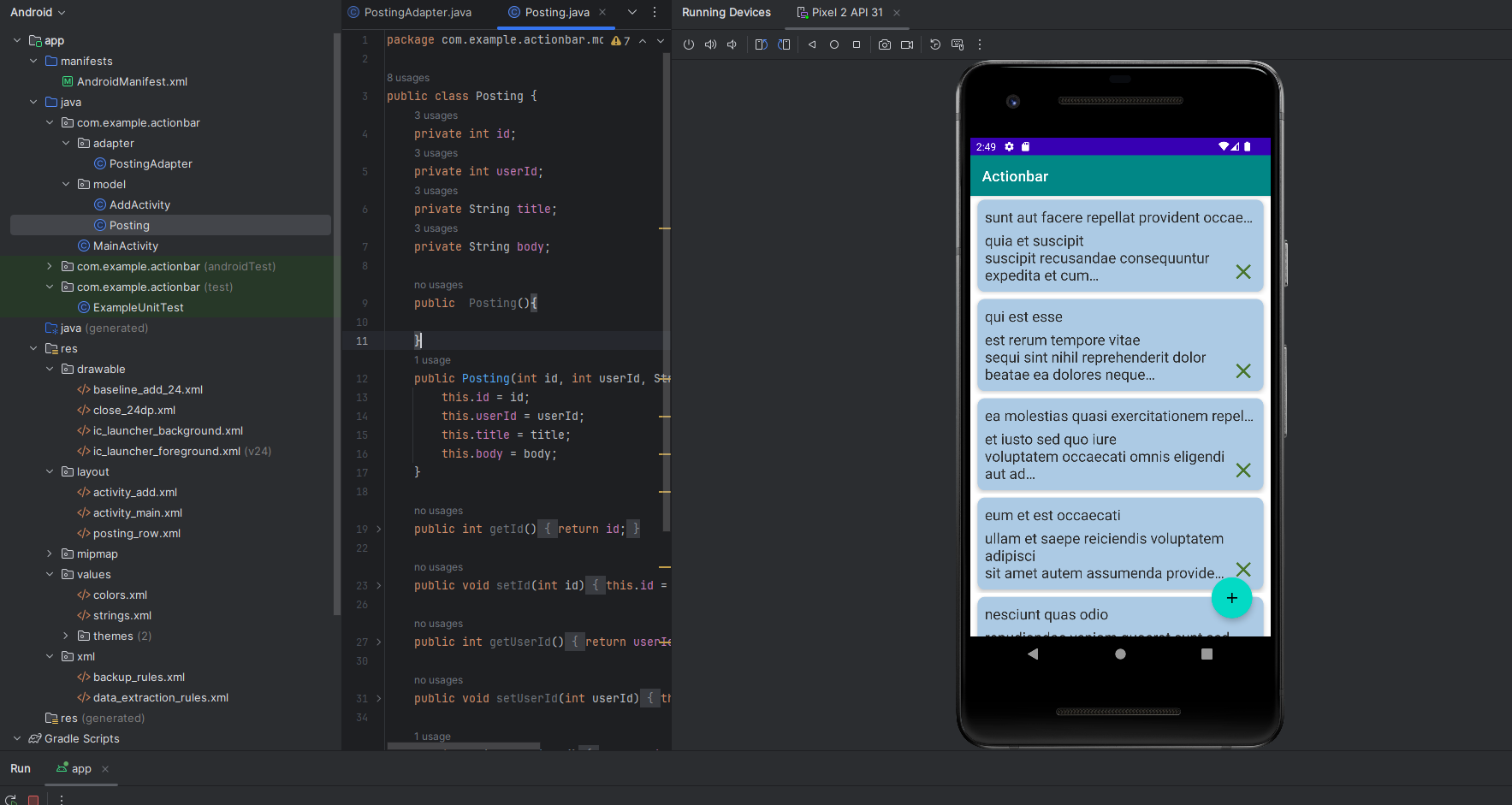
3.객채 생성
package com.example.actionbar.model;

public class Posting {
    private int id;
    private int userId;
    private String title;
    private String body;

    public  Posting(){

    }
    public Posting(int id, int userId, String title, String body) {
        this.id = id;
        this.userId = userId;
        this.title = title;
        this.body = body;
    }

    public int getId() {
        return id;
    }

    public void setId(int id) {
        this.id = id;
    }

    public int getUserId() {
        return userId;
    }

    public void setUserId(int userId) {
        this.userId = userId;
    }

    public String getTitle() {
        return title;
    }

    public void setTitle(String title) {
        this.title = title;
    }

    public String getBody() {
        return body;
    }

    public void setBody(String body) {
        this.body = body;
    }
}
'Aandroid Studio > Library' 카테고리의 다른 글
| [android] Glide를 활용한 이미지 전송 방법 (0) | 2024.06.12 |
|---|
