순서
s3 버킷 생성
iam 권한 부여
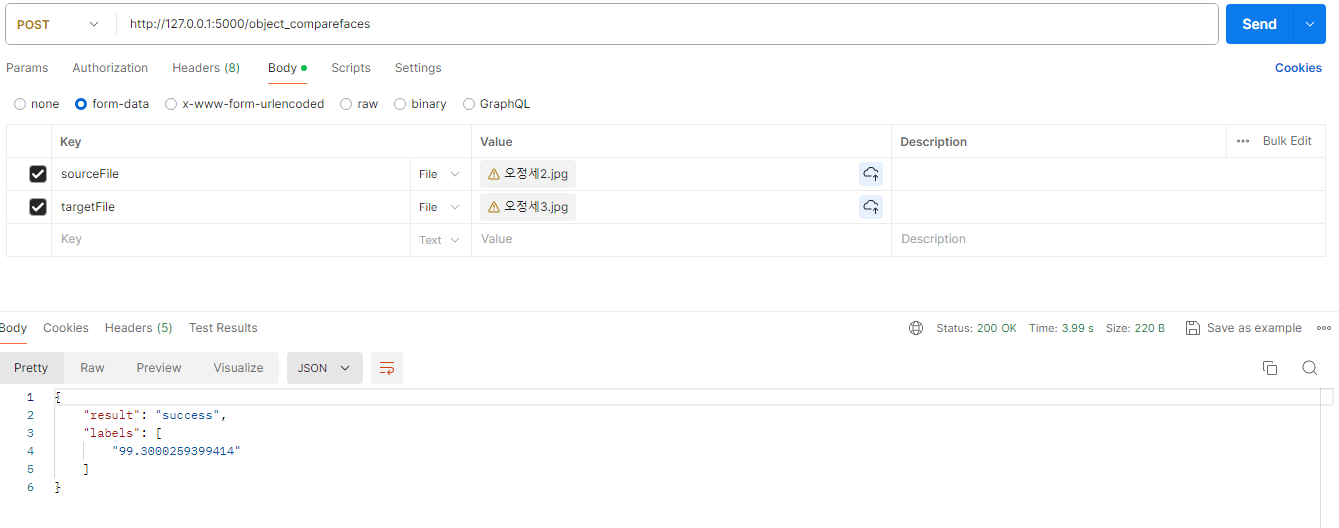
api 생성
s3.세팅
Amazon S3(Simple Storage Service)는 Amazon Web Services(AWS)에서 제공하는 객체 스토리지 서비스이다. S3는 웹 규모의 컴퓨팅 용량을 제공하며, 인터넷을 통해 데이터를 저장하고 검색할 수 있는 매우 확장 가능하고 안전한 솔루션이다.
S3 버킷 만드는방법

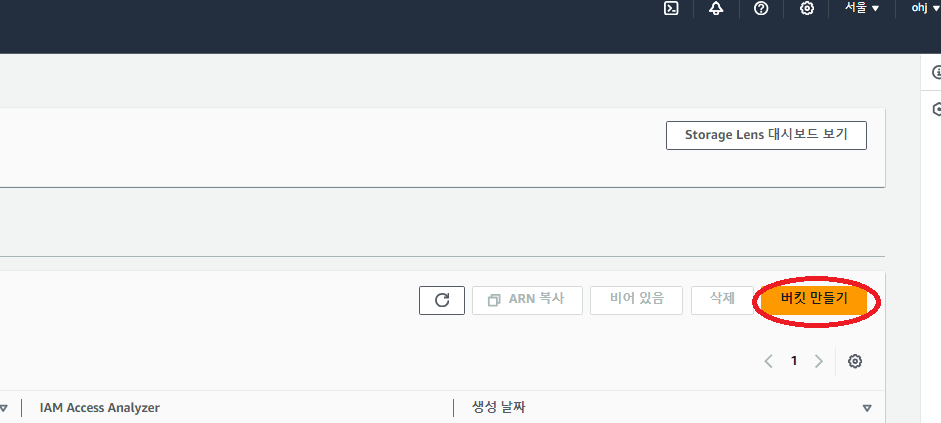
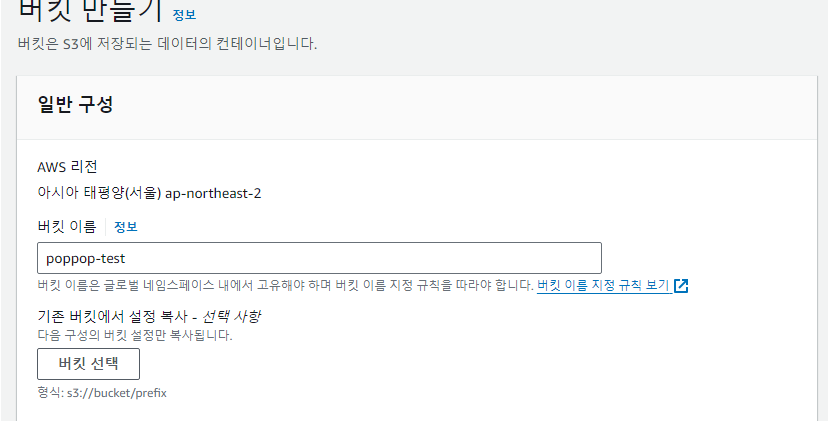
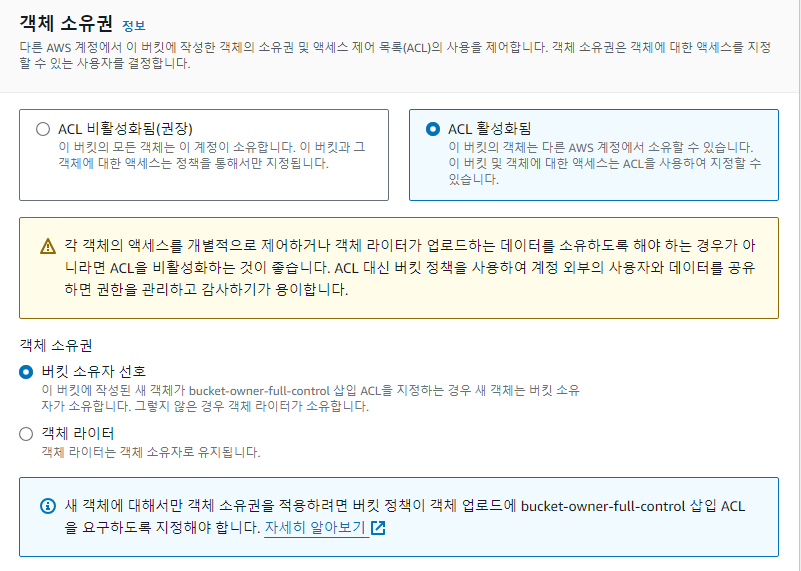
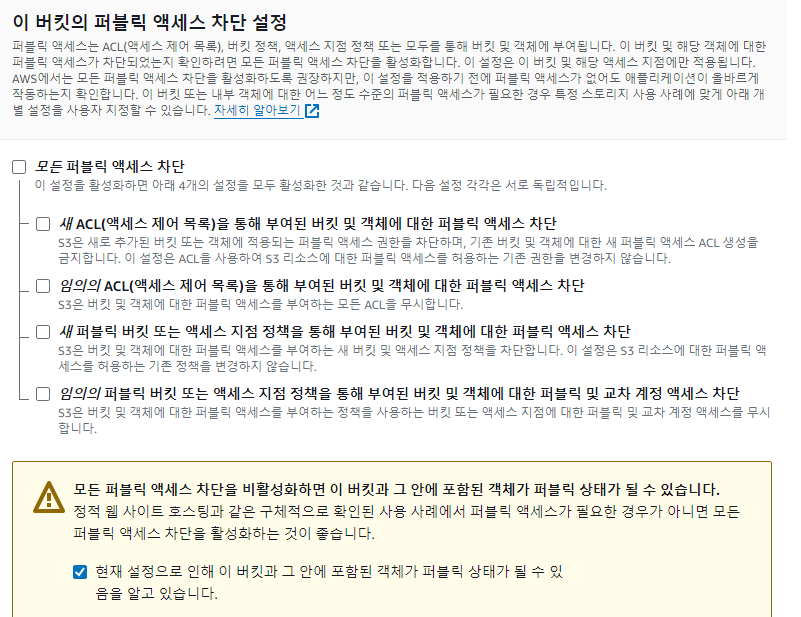


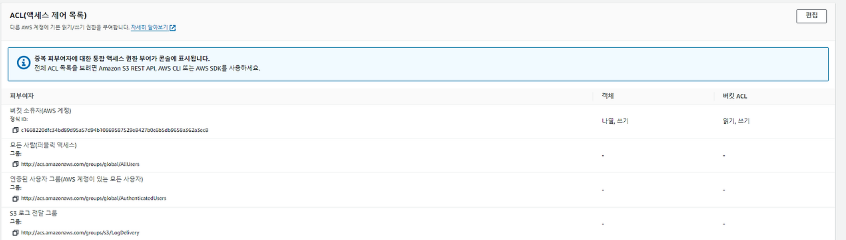
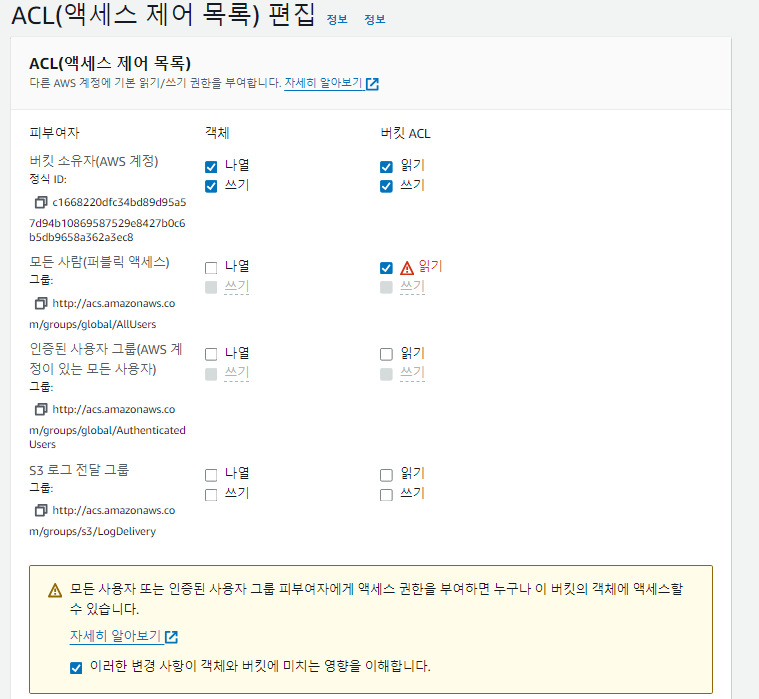
2.iam 권한

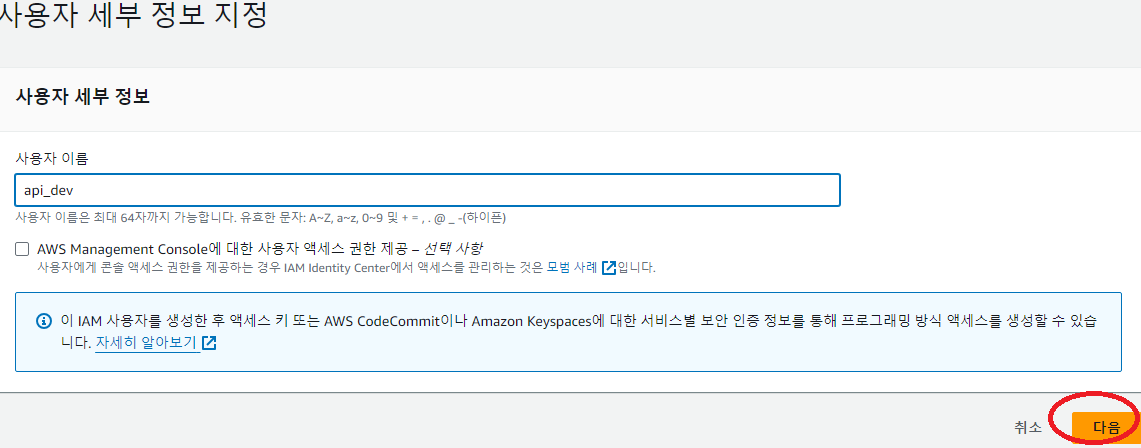
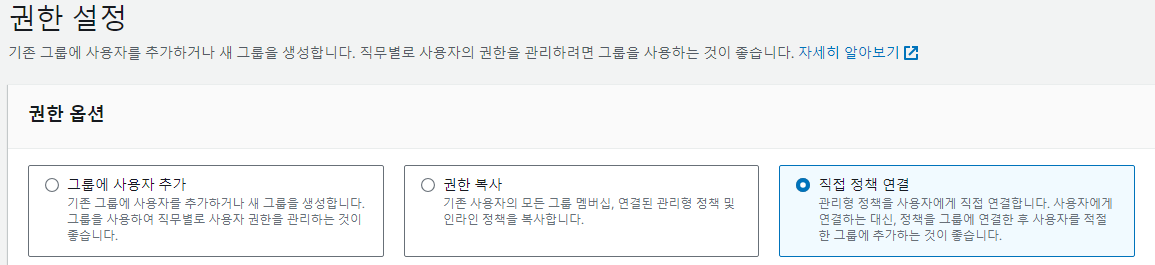
아래 보이는 권한 추가

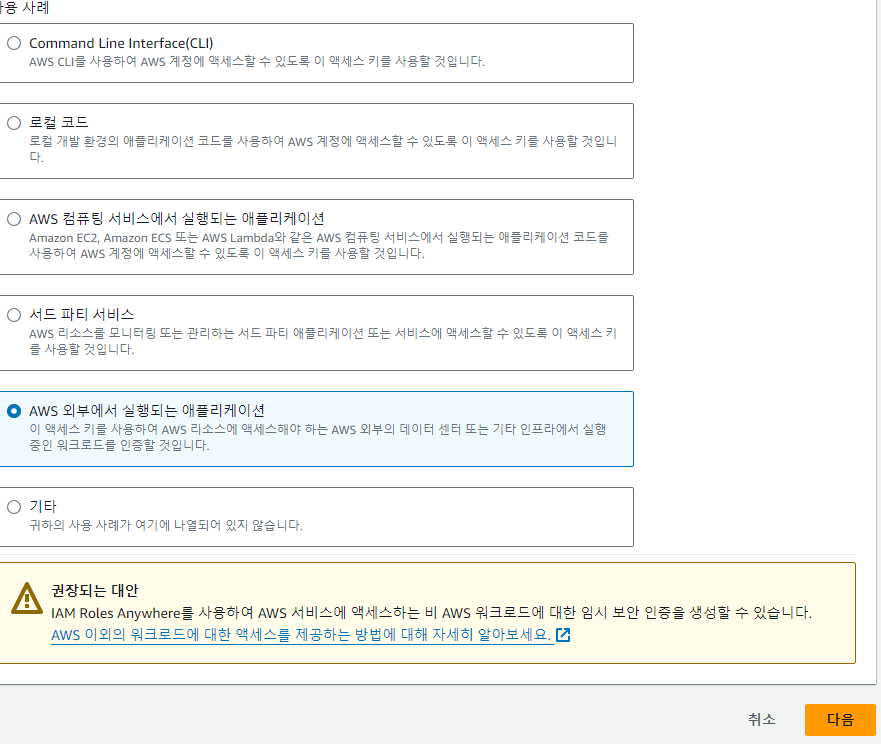
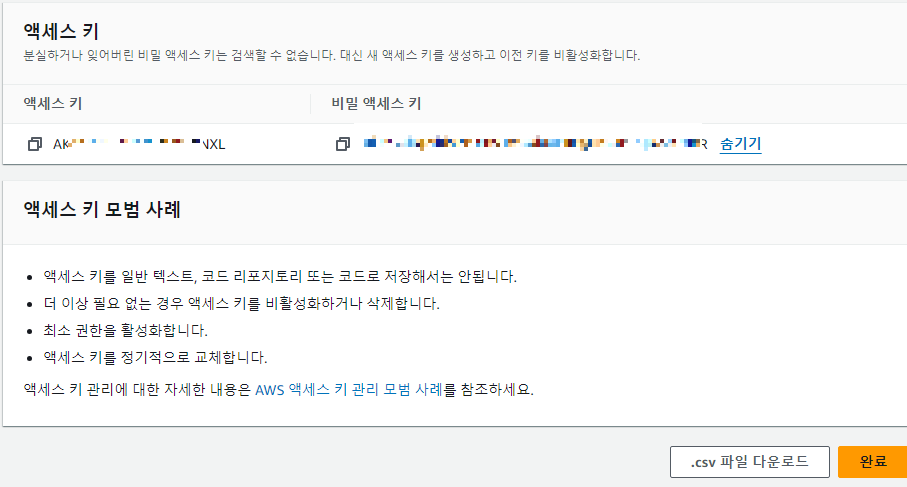
엑세스 키를 저장해야함
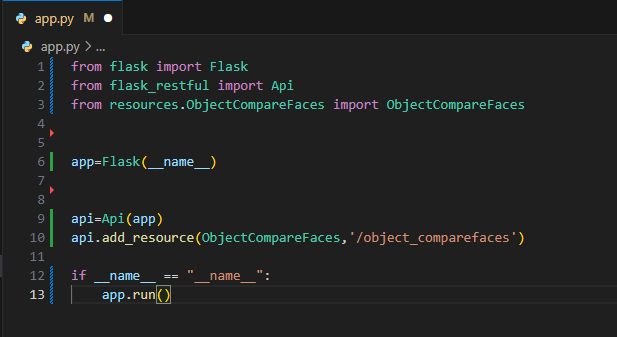
코드
app.py
from flask import request
from flask_restful import Resource
from datetime import datetime
import boto3
from PIL import Image, ImageDraw
from io import BytesIO

from config import Config

class ObjectCompareFaces(Resource):
    def post(self):
        try:
            # Step 1: 파일 검증 및 S3 업로드
            sourceFile = request.files['sourceFile']
            if 'image' not in sourceFile.content_type:
                return {'result': 'fail', 'error': '이미지 파일을 업로드하세요.'}, 400

            targetFile = request.files['targetFile']
            if 'image' not in targetFile.content_type:
                return {'result': 'fail', 'error': '이미지 파일을 업로드하세요.'}, 400

            sourceFile_name = self.upload_to_s3(sourceFile)
            targetFile_name = self.upload_to_s3(targetFile)

            # Step 2: 얼굴 비교
            response = self.compare_faces(sourceFile_name, targetFile_name)

            return {"result": "success", "labels": response}

        except Exception as e:
            return {'result': 'fail', 'error': str(e)}, 500

    def upload_to_s3(self, file):
        # S3에 파일 업로드하는 메서드
        current_time = datetime.now()
        file_name = current_time.isoformat().replace(':', '_') + '.jpg'
        file.filename = file_name

        client = boto3.client('s3',
                              aws_access_key_id=Config.AWS_ACCESS_KEY,
                              aws_secret_access_key=Config.AWS_SECRET_ACCESS_KEY)

        try:
            client.upload_fileobj(file, Config.S3_BUCKET, file_name, ExtraArgs={'ACL': 'public-read', 'ContentType': 'image/jpeg'})
            return file_name
        except Exception as e:
            raise Exception(f"S3 업로드 실패: {str(e)}")

    def compare_faces(self, source_file_name, target_file_name):
        # 얼굴 비교 메서드
        client = boto3.client('rekognition', region_name='ap-northeast-2',
                              aws_access_key_id=Config.AWS_ACCESS_KEY,
                              aws_secret_access_key=Config.AWS_SECRET_ACCESS_KEY)

        try:
            # Step 1: S3에서 이미지 읽기
            source_image = self.read_image_from_s3(source_file_name)
            target_image = self.read_image_from_s3(target_file_name)

            # Step 2: Rekognition을 이용한 얼굴 비교
            response = client.compare_faces(SimilarityThreshold=10,
                                            SourceImage={'Bytes': source_image},
                                            TargetImage={'Bytes': target_image})

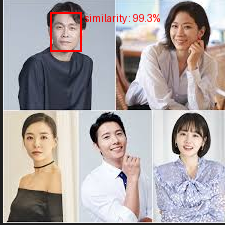
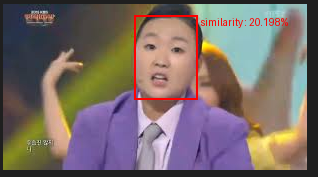
            # Step 3: 일치하는 얼굴 주위에 사각형 그리기
            target_image = Image.open(BytesIO(target_image))
            draw = ImageDraw.Draw(target_image)
            similarity_list = []

            for faceMatch in response['FaceMatches']:
                position = faceMatch['Face']['BoundingBox']
                similarity = str(faceMatch['Similarity'])
                similarity_list.append(similarity)

                imgWidth, imgHeight = target_image.size
                left = imgWidth * position['Left']
                top = imgHeight * position['Top']
                width = imgWidth * position['Width']
                height = imgHeight * position['Height']

                points = [
                    (left, top),
                    (left + width, top),
                    (left + width, top + height),
                    (left, top + height),
                    (left, top)
                ]

                draw.line(points, fill='#ff0000', width=2)
                similarity = round(float(similarity), 3)
                draw.text((left + width + 5, top), f"similarity : {similarity}%", fill='#ff0000')

            # Step 4: 결과 이미지 출력
            target_image.show()
            return similarity_list

        except Exception as e:
            raise Exception(f"얼굴 비교 실패: {str(e)}")

    def read_image_from_s3(self, file_name):
        # S3에서 이미지를 읽어오는 메서드
        client = boto3.client('s3',
                              aws_access_key_id=Config.AWS_ACCESS_KEY,
                              aws_secret_access_key=Config.AWS_SECRET_ACCESS_KEY)

        try:
            response = client.get_object(Bucket=Config.S3_BUCKET, Key=file_name)
            return response['Body'].read()

        except Exception as e:
            raise Exception(f"S3에서 이미지 읽기 실패: {str(e)}")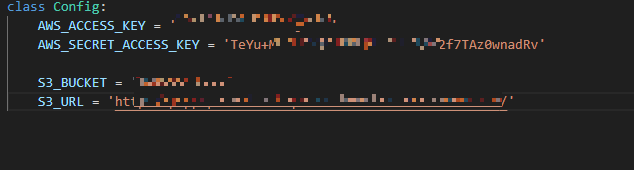


'AWS > S3, Rekognition' 카테고리의 다른 글
| [aws] s3를 활용한 이미지 Storage 저장, 이미지 분석 방법 (0) | 2024.05.28 |
|---|
